
What are Employee HR Requests?
Employee HR Requests found within Request & Approvals pertain to the different categories of personal information stored within the employee's ESS Profile.
Available HR request types include:
- Personal
- Address
- Contact
- Emergency Contact
- Direct Deposit
These sections of the ESS Profile are view-only by default. Enabling Employee HR Requests allows employees to submit updates to applicable profile information.
Personal
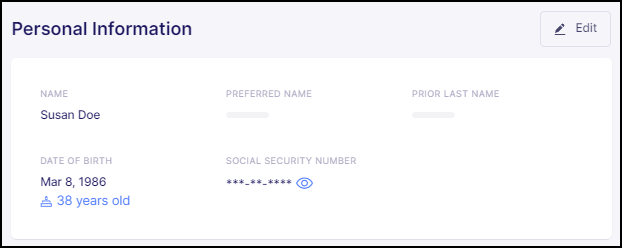
The Personal request type really only influences the employee's ability to edit their name, despite their date of birth and social security number being stored within this section of the Profile. This is because changes to the date of birth or social security number require direct confirmation from the employer.
Address
The Address request type allows employees to edit both the primary and mailing addresses on file. This capability is particularly useful when employees change residences or need to manage situations where their primary and mailing addresses differ.
For clients utilizing Empeon's Tax Maps feature, Address Change Requests cannot be set to "Auto-Approve" and must be configured with an approval workflow to ensure a designated assignee reviews and approves the changes. If the address change impacts the employee’s tax setup, Tax Maps will automatically determine whether new tax configurations are required, and the Assignee(s) will be able to review those changes.
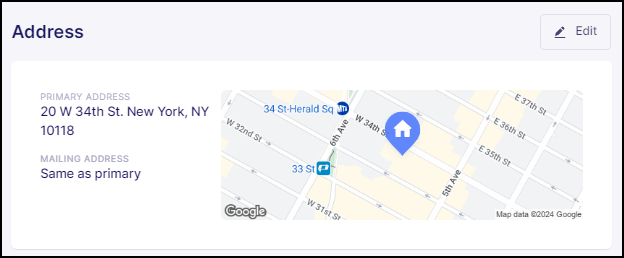
Please note that the primary address will appear on pay stubs and tax documents, while the mailing address is where pay stubs and year-end tax documents will be sent.
Contact
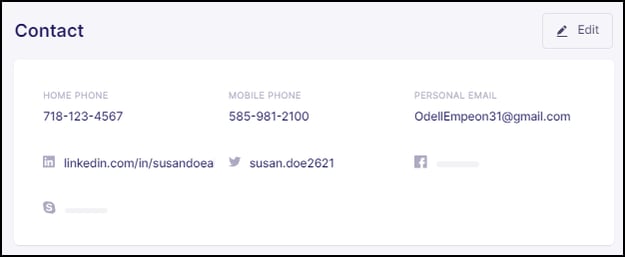
The Contact request type allows employees to edit their contact information, including home and mobile phone numbers, as well as their email address. Additionally, there are fields where employees can enter their social media profile handles if desired.
Emergency Contact
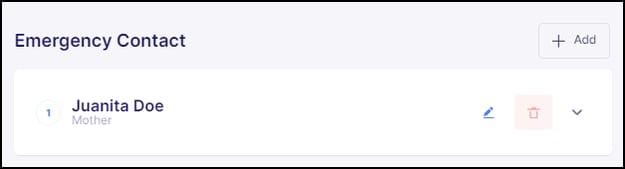
The Emergency Contact request type allows employees to add, edit, and remove emergency contact information saved within their profile. This request is typically auto-approved, meaning changes made by the employee do not require review and approval from a designated Assignee.
Direct Deposit
The Direct Deposit request type allows employees to add, edit, and remove bank accounts on file for Direct Deposit. This feature gives employees greater autonomy in managing how they receive their pay but also carries a risk if account percentages are set up incorrectly, potentially causing pay distribution issues. To mitigate this risk, it is recommended to establish an approval process for any changes to direct deposit information. Additionally, optional features can be enabled, such as requiring employees to upload a bank statement or voided check to go along with the review process when making these changes.
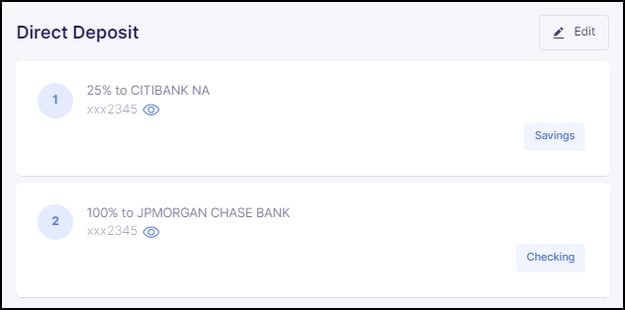
Granting Access to Employee HR Requests
To grant access to some or all of the Employee HR Requests, click the "pencil" icon located along the row of the respective request type.
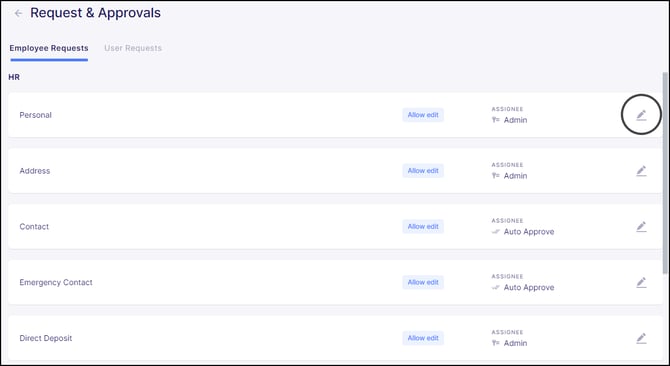
With the exception of the request type for Direct Deposit, which has the additional option to require document uploads, granting permission for each request type follows the same process.
The first step will be to change the permission from it's default setting of "View only" to "Allow edit".
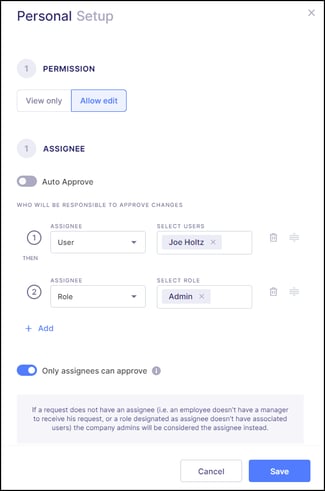
Upon changing the permissions to "Allow edit", the system will then require the designation of an Assignee. There are two options for setting up the approval process for when employees make changes:
- Auto Approve - This option will forego the approval process and updates the system automatically with the changes the employee made. This is often suitable for straightforward requests such as Contact, and Emergency Contact.
- Selecting Assignee - For employee requests requiring review and approval, a primary Workforce Administrator can designate a specific Role, the employee's Manager, or an individual User to review and approve the changes. Multi-step approvals can be set up to involve multiple reviewers in a defined sequence. In these cases, once the initial Assignee approves the request, it seamlessly progresses to the next Assignee for further review, and so forth.
The final setting to consider when configuring an Employee HR request is to establish whether "Only assignees can approve" the request. This optional setting enforces that only the designated Assignee(s) have the authority to approve the request. Please note that this restriction applies only to the custom Users and Roles assigned for approval and does not affect system-level Administrators, such as Company or Organizational Admins, who retain approval capabilities.
It is important to note that enabling Employee HR Requests provides access to all employees within the organization. There is currently no option to restrict these requests to only a specific group of employees.