
The Request & Approvals feature within Empeon Workforce allows employers to significantly enhance how their employees utilize and interact with the ESS Hub.
Request & Approvals offer an array of permissions that can allow employees to use their ESS Hub to edit their information and submit requests for time off, reimbursements, and more. When enabling these permissions for employees, there is the ability to establish approval workflows in order to ensure that employee submissions are reviewed by the appropriate people before any changes take effect.
Request & Approvals also offer permissions for other Workforce Users assigned to Custom Roles, allowing them to be able to submit requests on behalf of employees that they have access to within Empeon Workforce.
To view and configure the array of requests that can be made within the ESS Hub, navigate to the Rules & Alerts section of the Company tab and select the Request & Approvals Card.
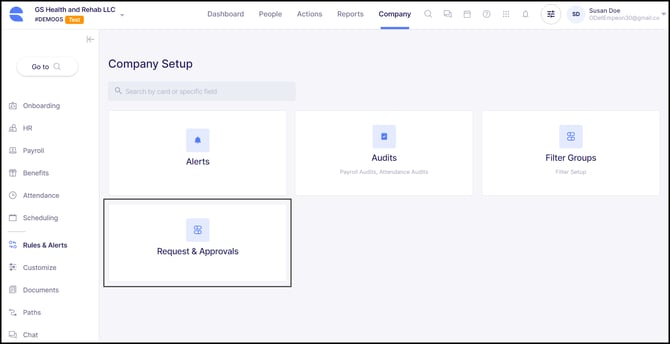
Once within the Request & Approvals Card, available requests are organized into two tabs: Employee Requests and User Requests. Employee Requests relate to employees and permissions that can be enabled within the ESS Hub whereas User Requests relate to Workforce Users assigned to Custom Roles and permissions that can be enabled for them within Empeon Workforce.
Employee Requests
Employee Requests are broken into five categories:
- HR Requests - Requests within this category relate to personal and employment information within the ESS Profile.
- Payroll Requests - Requests within this category relate to how employees are paid.
- Benefits Requests - Requests within this category relate to employee benefits.
- Attendance Requests - Requests within this category relate to employee time and attendance activity. This category is only available for clients utilizing Empeon’s Time & Attendance feature.
- Scheduling Requests - Requests within this category relate to employee work schedules. This category is only available for clients utilizing Empeon’s Advanced Scheduling feature.
User Requests
- User Requests - There are two requests that can be enabled for Workforce Users assigned to Custom Roles to allow them to make requests within Emepon Workforce on behalf of the employees that they have access to.
For specific insights on each category of requests and what to consider when setting them up, click on the link in the category's title.
For requests that have been set up with establish approval workflows, please refer to Empeon's article Reviewing & Approving Employee Requests to learn more on how to review and approve submitted requests.