
Waive Meal Reasons are reason codes used to explain why an employee is requesting to be paid for a lunch period that would otherwise be automatically deducted as unpaid. These reasons represent valid business scenarios in which an employee works through their meal period and is therefore eligible to receive pay for that time.
Waive Meal Reasons are used exclusively with the Requests & Approvals feature. To use this functionality, the Waive Meal request type must be enabled and made available to employees through their ESS Hub. When an employee submits a Waive Meal request, they are prompted to select a Waive Meal Reason to indicate why the request is being made.
To configure and manage Waive Meal Reasons, navigate to the Attendance section within the Company tab and select the Waive Meal Reasons Card.
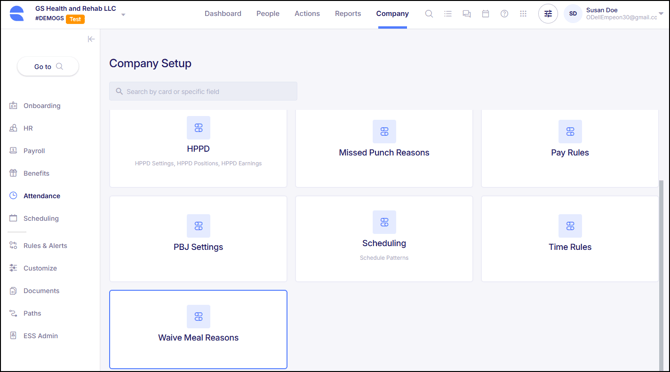
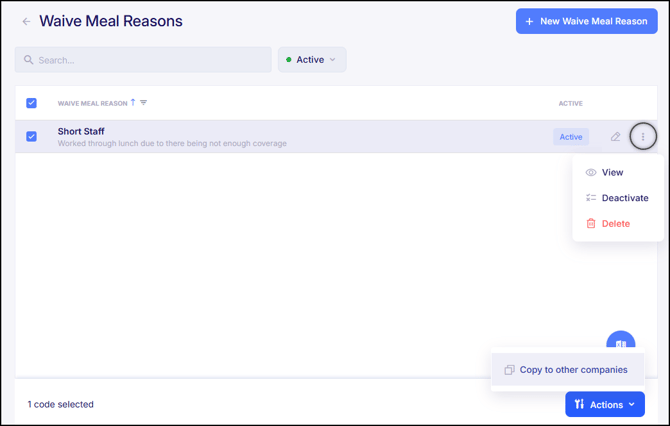
The Waive Meal Reasons Card displays the Waive Meal Reasons that have already been set up. For each existing Waive Meal Reason, there are options to View, Edit, Deactivate, or Delete the code, if needed. Additionally, a checkbox next to the Waive Meal Reason Code allows the code to be copied to another company.
To create a new Waive Meal Reason, click the blue button labeled "+ New Waive Meal Reason".
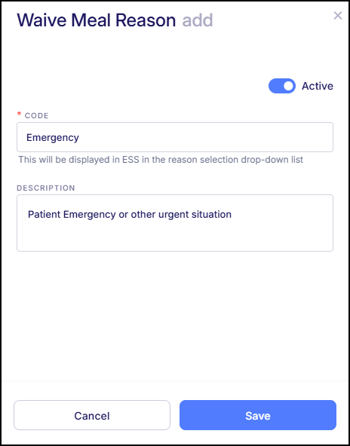
When adding a new Waive Meal Reason, it will prompt for a Code and Description to be entered. Then click "Save" once both fields have been entered.
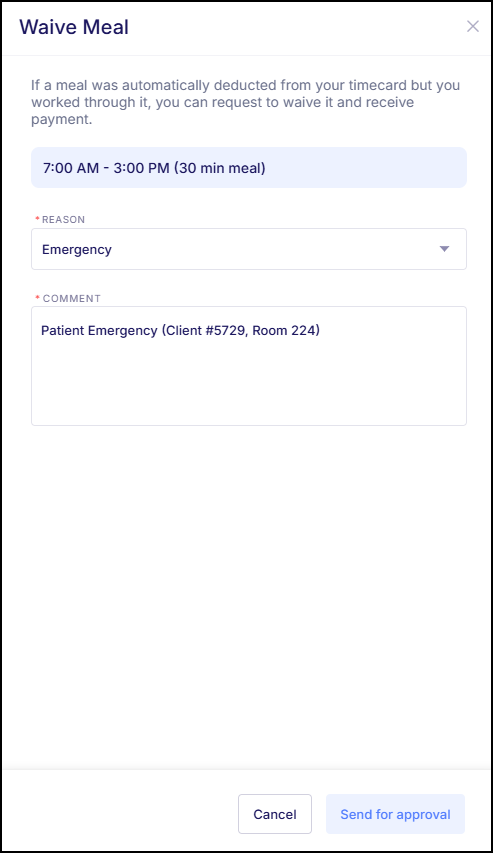
Now when an employee attempts to request a Waive Meal request within their ESS Hub, the newly added Reason Code will be available to be selected.
For insights on how to set up the request within Request & Approvals, please refer to Empeon's article Employee Attendance Requests.