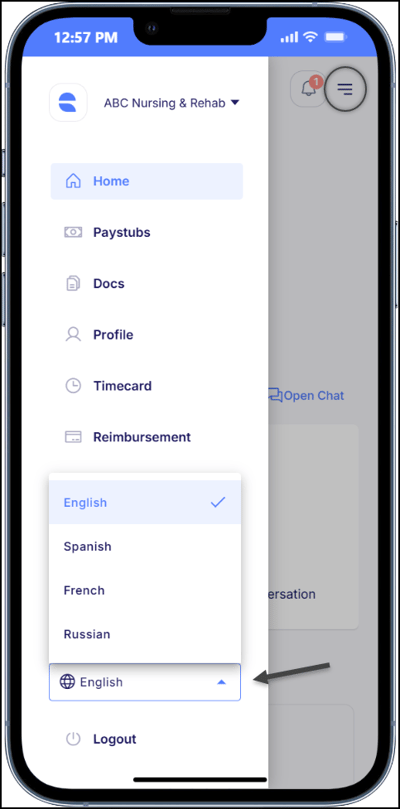
Empeon's Employee Self-Service (ESS) portal is available in English (default), Spanish, French, and Russian. This article explains how to change the language settings within the ESS Hub so that employees can view the site in the language they are most comfortable with.
ESS Hub Desktop Instructions
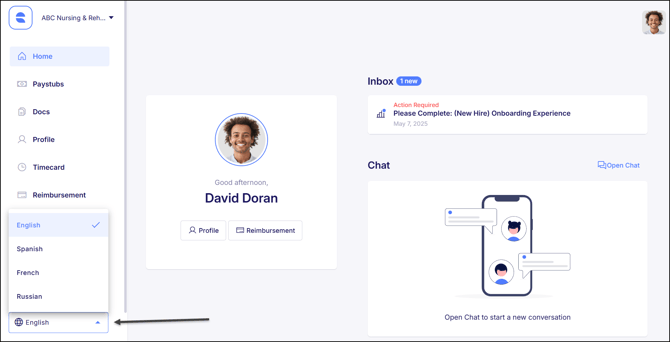
Along the lefthand menu, there is dropdown at the very bottom for language. Here is where the appropriate language can be selected.
ESS Hub Mobile Instructions
Click on the "Menu" button in the top right corner of the screen to open up the lefthand menu. At the bottom of this menu is a dropdown for language where the appropriate language can be selected.